  1. Blog
  2. Article

Canonical
on 3 August 2017

Upgrading your Ubuntu-on-Windows install to the app version


Our team and Microsoft recently released Ubuntu as a Windows app store application! If you toyed with the “bash on Ubuntu on Windows” version before and would like to try the latest and greatest, read on!
Saving your data

If your “bash on ubuntu on windows” environment has some data you’d like to keep, make sure you back it up now. The uninstall process will nuke everything.

Uninstall the old way

This is relatively simple. Opening a command line (cmd.exe) terminal and typing

lxrun /uninstall

will destroy your previous environment.

Installing the new way

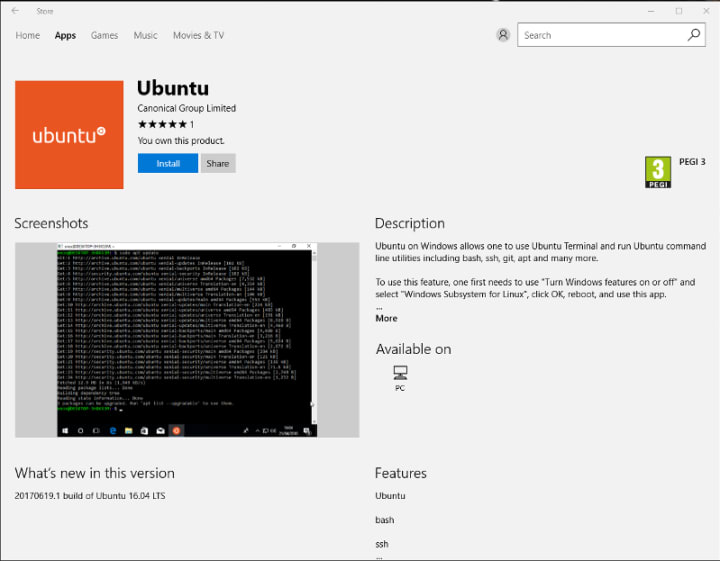
To find the app in the Microsoft store, just type “Ubuntu” in the search bar. Click install. Voilà!

Related posts


Simon Aronsson
17 March 2026

Building a dry-run mode for the OpenTelemetry Collector

Observability Article

Teams continuously deploy programmable telemetry pipelines to production, without having access to a dry-run mode. At the same time, most organizations lack staging environments that resemble production – especially with regards to observability and other platform-level services. Despite knowing the potential risks involved due to the lac ...


Canonical
16 March 2026

Canonical announces it will distribute NVIDIA DOCA-OFED in Ubuntu

AI Article

Today Canonical, the publishers of Ubuntu, announced that it will integrate and distribute the NVIDIA DOCA-OFED networking driver with Ubuntu. ...


Canonical
16 March 2026

Meet Canonical at NVIDIA GTC 2026

Ubuntu Article

Previewing at the event: NVIDIA CUDA support in Ubuntu 26.04 LTS, NVIDIA Vera Rubin NVL72 architecture support in Ubuntu 26.04 LTS, Canonical’s official Ubuntu image for NVIDIA Jetson Thor, upcoming support for NVIDIA DGX Station and NVIDIA DOCA-OFED, and NVIDIA RTX PRO 4500 support. NVIDIA GTC 2026 is here, bringing together the technolo ...