

Canonical
12 October 2018
Firefox ESR 60 availability on Ubuntu
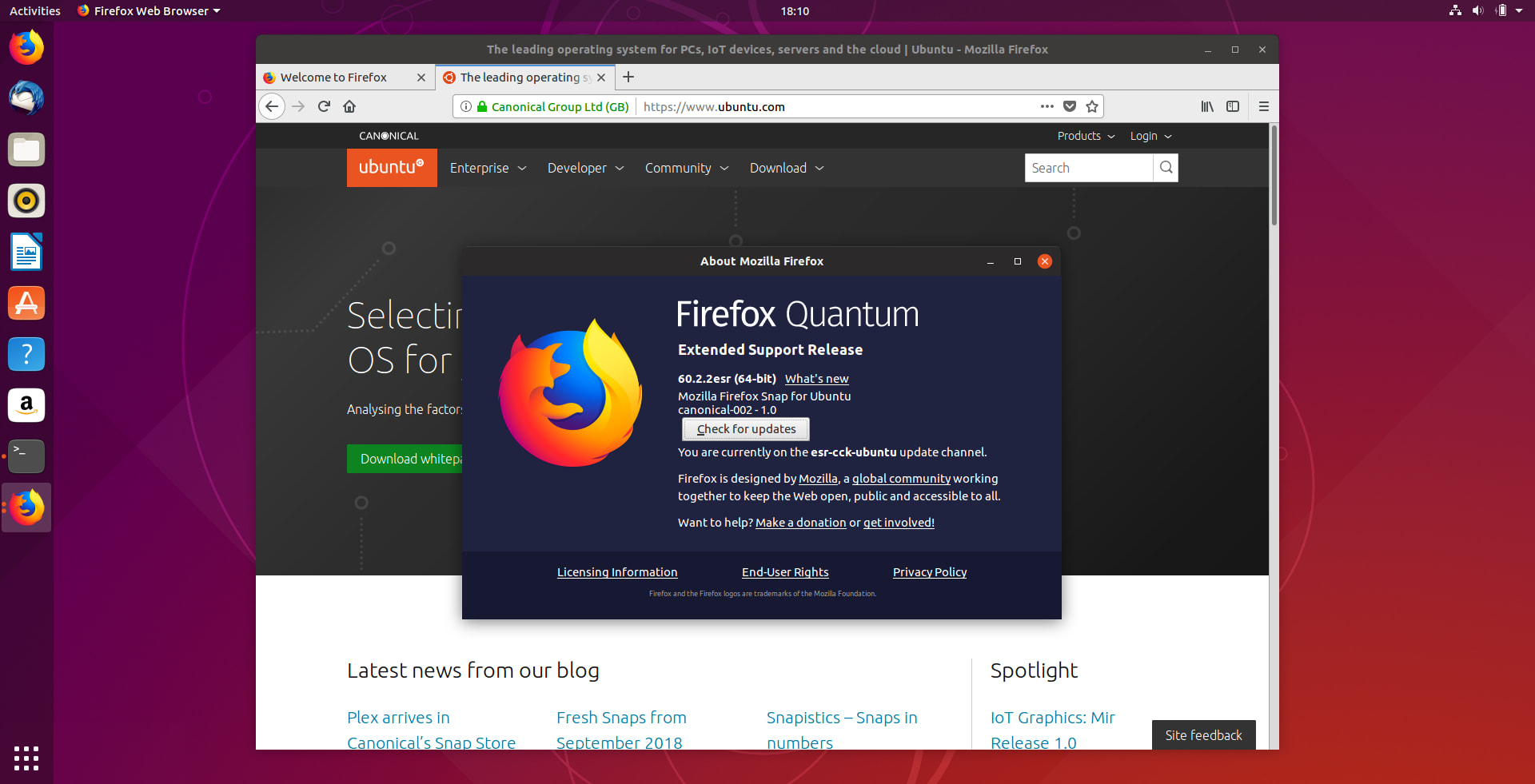
Mozilla Release Engineering created a special customised packaging of the Ubuntu version of Firefox intended for our enterprise partners of Canonical. This is particularly useful if partners decide they need to apply policies to Firefox for an install base they administer. This Extended Support Release (ESR) is similar in concept to the Ubuntu LTS releases. This nominated version of Firefox, released to a specific cadence, will be given additional maintenance over and above the regular more frequent releases. The ESR release will get support for approximately one year. It will have an overlap period with the next ESR of 12 weeks, which gives users a window to upgrade to the latest ESR and ensures they are always on a supported version. Like Ubuntu LTS releases, Mozilla is selective about what patches/fixes/updates get backported to the ESR version.
The ESR version of Firefox is aimed at corporations who want to have more control over the version of Firefox their employees have installed. The standard version of Firefox is updated every 6 weeks on Mozilla’s “Rapid Release” update schedule, while ESR receives security patches on the same schedule, without feature changes. Mozilla recommends that users stay on the Rapid Release version if they wish the newest product features offered by Firefox. Firefox ESR may be better choice for corporations with large deployments of Firefox as their standard browser, who do not wish new Firefox features updates included every six weeks. IT support teams using ESR may have an easier job if users are on the same version of Firefox with group policies applied consistently across the install base. Intranet developers will be able to narrow their testing to a single supported browser permitting security teams to manage a smaller attack surface.
To better understand the differences between Rapid Release and ESR Firefox please click here.
How do I get it?
The great news for Ubuntu users is that the ESR version of Firefox is already available as a Snap, via the ESR channel. To get it simply:
snap install –channel=esr/stable firefox
Or install it via GNOME Software:
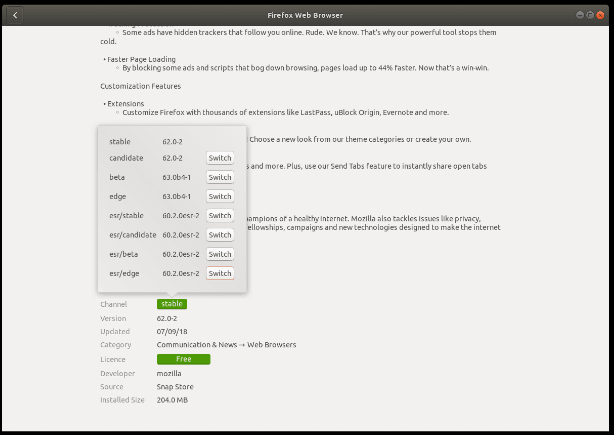
If you already have the Firefox snap installed and you want to switch to the ESR version to try it out, you can:
snap install –channel=esr/stable firefox
Or click the Switch button in GNOME Software as before.
You can read the ESR FAQ over on the Mozilla site here.


